Selecting a Python Driver
A Python driver is chosen through the Hardware Configuration dialog (Hardware → Hardware Selection), the same way as any other driver. Three settings on the profile bind the script to the trampoline: the script path, the class name within the script, and an optional Python environment. For an introduction to profiles in general, see Hardware Profiles; the notes below cover the Python-specific parts of that flow.
Choosing a Python driver
In the Add Profile dialog, the Driver dropdown lists every
driver class registered for the selected hardware type. Python
drivers are named with a Python prefix (PythonAwg,
PythonFlowController, and so on; the full set is in
Trampoline Overview).
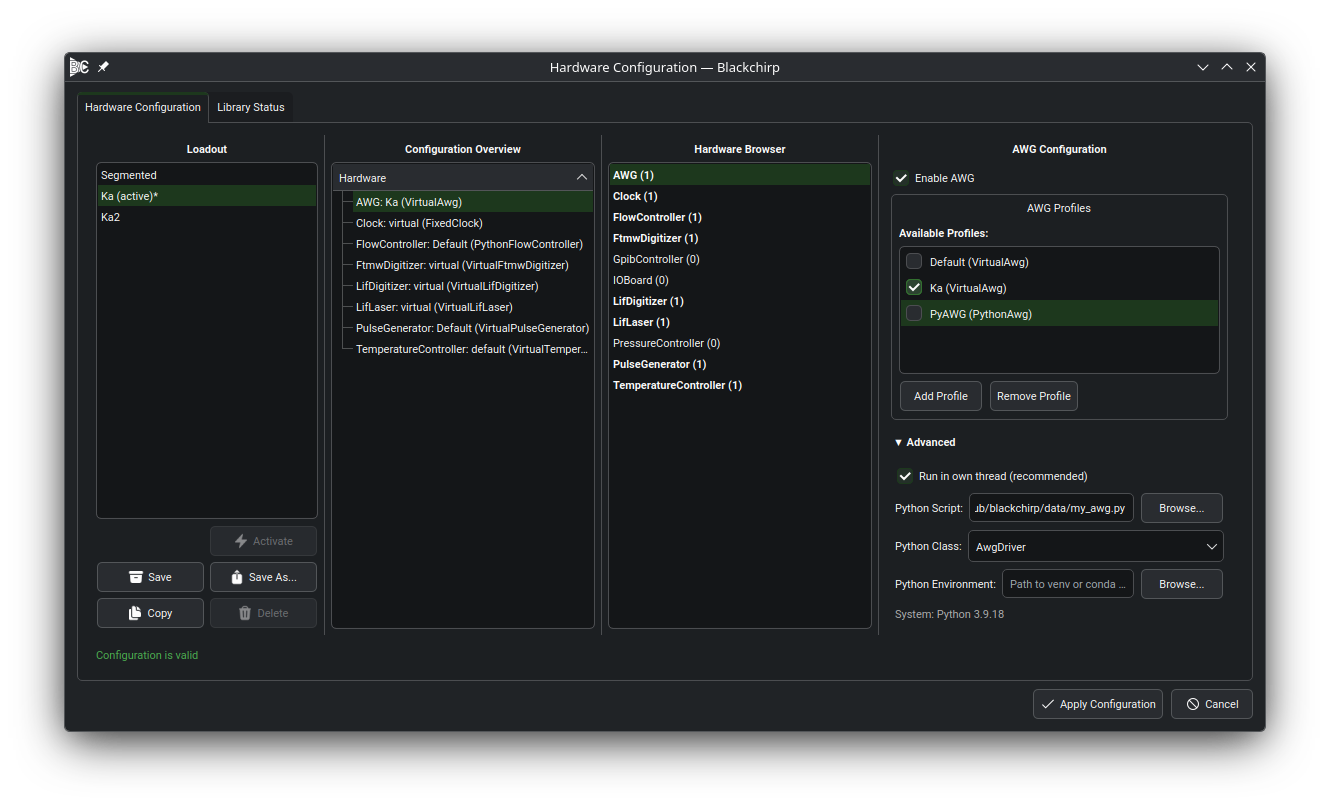
Hardware Configuration dialog with a Python-backed AWG profile
(PyAWG (PythonAwg)) selected. The Advanced section of the
per-profile panel exposes the Python Script, Python Class,
and Python Environment fields; the resolved interpreter
version (System: Python 3.9.18) is shown below the
environment row.
Template-script copy
After a Python profile is saved, Blackchirp offers to seed it with the bundled template:
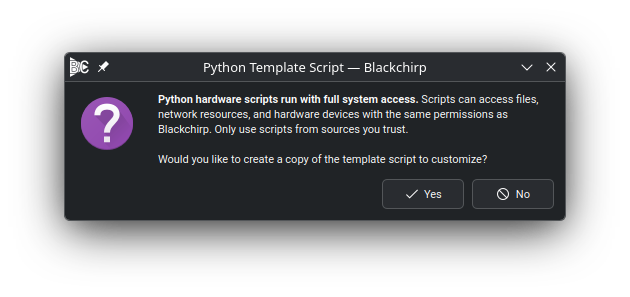
The template-copy prompt. The bold text repeats the security warning from Security; the question below it offers to copy the bundled template into a location of the user’s choice.
Choosing Yes opens a file-save dialog with a suggested filename
based on the hardware type (for example, my_flow_controller.py).
The matching template is copied to the chosen location and the saved
path is filled in on the new profile automatically. The starter
templates have working Virtual-protocol behavior and inline
docstrings for every method, so a freshly copied script runs
end-to-end before any edits.
Choosing No leaves the script path empty; fill it in later from
the Hardware Configuration dialog by browsing to a .py file.
Communication protocol
The driver inherits the protocol options the trampoline registered:
RS-232, TCP, GPIB, Virtual, and Custom. Choose Custom when
the driver bypasses self.comm and talks to the hardware through
a vendor Python package or USB-HID library; the Communication
Settings dialog (Hardware → Communication) shows a note pointing
back to the script in that case (see
Custom protocol).
Python script path
The Python Script field in the Advanced section holds the
absolute path to the .py file that defines the driver class.
The accompanying Browse… button opens a file picker filtered
to *.py. The field is hidden when the selected driver is not
Python-backed.
Class name
The Python Class field is an editable dropdown. Whenever the
script path changes, the script is scanned for top-level class
definitions and the dropdown is populated with the names found.
The placeholder text shows the default class name expected by the
trampoline (AwgDriver, FlowControllerDriver, and so on; see
Trampoline Overview). Any name is allowed
provided the class implements the methods the trampoline calls
(see Per-Type Capabilities).
Python environment
The Python Environment field selects the interpreter used to
launch the script. Leave it empty to use the system python3
on PATH. To use a virtual environment or conda environment,
set the field to the environment’s directory; the Browse…
button next to it opens a directory picker.
The interpreter is resolved by looking for, in order:
<env>/bin/python3<env>/bin/python<env>/Scripts/python.exe
The status line below the field shows the version reported by the
resolved interpreter (for example, Python 3.12.4). If the
directory exists but contains no interpreter, the system python3
is used and a warning is displayed. If neither has a working
python3, the status line reports an error and the driver will
not launch.
The environment field is per profile, so two Python profiles may
use different environments — useful when one driver depends on a
vendor SDK that conflicts with packages required by another. In
persistent storage the field is recorded as pythonEnvPath.