FTMW Configuration
The FTMW Configuration dialog collects the RF chain, chirp waveform, and digitizer parameters that define a CP-FTMW measurement. The same controls surface in two places:
As the FTMW Configuration page of the Experiment Setup dialog, where they are reviewed and validated before an experiment starts. This is the path most users take during routine acquisition.
As a standalone dialog opened from Hardware → FTMW Configuration. Open it this way to adjust the RF chain, save or rename presets, or send clock settings to the hardware without starting an experiment. The standalone dialog is available only in the Idle state (hardware connected, no experiment running) and is read-only when Blackchirp is disconnected.
A preset bar sits at the top of the dialog and three tabs below it group the parameters: RF Config (RF Configuration), Chirp Config (Chirp Setup), and Digitizer Config (Digitizer Setup).
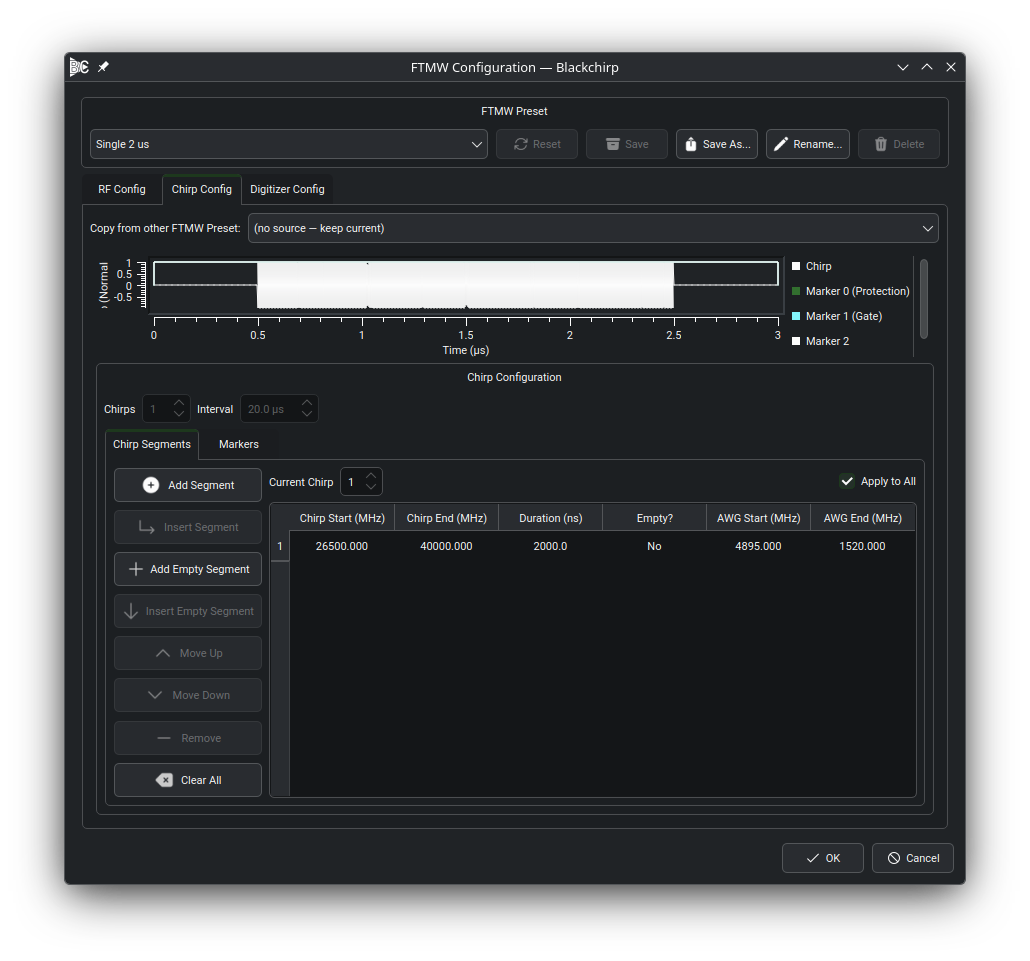
The standalone FTMW Configuration dialog. The same preset bar and tabs appear inside the Experiment Setup dialog when starting an experiment.
An FTMW preset is a named snapshot of the FTMW operating configuration — RF chain parameters, clock frequencies, chirp waveform, and digitizer settings — saved within the active loadout. Switching presets restores all captured parameters at once. See FTMW Presets for the full preset lifecycle. The preset bar at the top of the dialog provides:
- Preset selector (combo box)
Lists all named presets belonging to the active loadout. If you have not applied a named preset, the dialog opens with the configuration you used last — your previous settings are restored, but no named preset is selected.
- Apply / Reset
When the combo selection differs from the current preset, this button reads Apply. Clicking it loads the selected preset into the RF, Chirp, and Digitizer widgets and makes it the current preset. When the combo matches the current preset, this button reads Reset. Clicking it discards any unsaved edits and restores the widgets to the saved preset state. Reset is enabled only when the configuration has been modified since the last apply or save (the dirty state).
- Save
Overwrites the current named preset with the widget contents. Enabled only when a named preset is currently selected and the configuration has unsaved changes.
- Save As
Saves the widget contents to a new preset with a name you supply. If the name already exists, Blackchirp asks whether to overwrite. After saving, the new preset becomes the current preset.
- Rename
Renames the current named preset. Available only when a named preset is currently selected.
- Delete
Deletes the preset selected in the combo. The Delete button is enabled only when the selected preset is different from the current preset. To delete the current preset, first apply a different preset, then delete the one you no longer need.
Accepting the FTMW Configuration dialog with unsaved changes opens a prompt offering to overwrite the current named preset, save as a new preset, proceed without saving, or cancel. In every non-cancel path, the accepted configuration is remembered so the dialog reopens with it.